Maximizing the program on launch
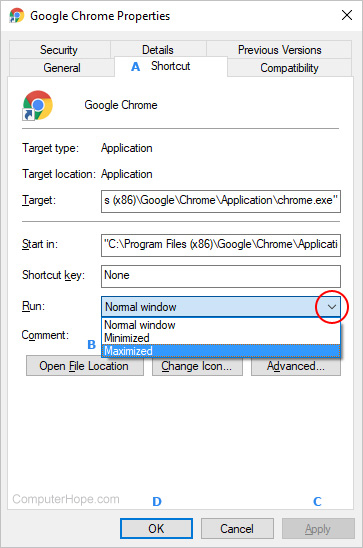
- In the Properties window, click the Shortcut tab (A).
- Locate the Run: section, and then click the down arrow on the right side (red circle).
- In the drop-down menu that appears, choose Maximized (B).
- Click Apply (C), and then OK (D).

No comments:
Post a Comment